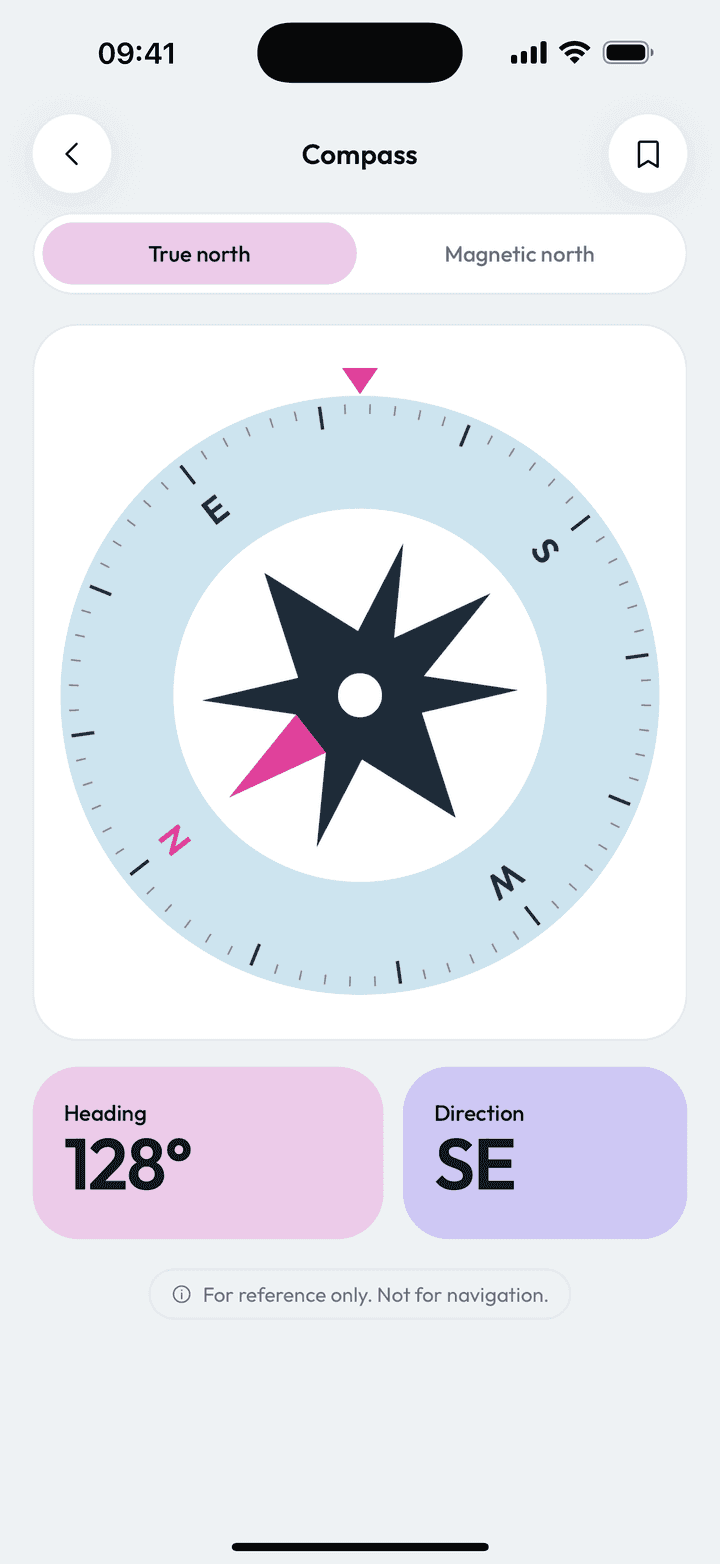
Measure Kit's compass shows your heading in degrees with the cardinal direction and lets you switch between true north and magnetic north. True north uses your approximate location to correct for declination, and a figure-eight prompt appears when the sensor needs calibrating.
| Reference | True north or magnetic north |
|---|---|
| Permission | Location (only for true north) |
| Calibration | Figure-eight prompt when sensor accuracy is low |
| Cost | Free, no limits |
By Ship AI Lab. Last updated . Written from how the Measure Kit app actually behaves.
True north versus magnetic north
A magnetic compass points at the magnetic north pole, which is not in the same place as the geographic one. The gap between them, called declination, changes with where you are and can be several degrees. A map is drawn against true north, so using the wrong one can send you off line.
Measure Kit lets you choose. True north needs your approximate location to work out the declination, so the app asks for location permission when you turn it on. If true north is not available at that moment, the app tells you and keeps showing magnetic heading rather than a wrong number.
Reading the heading
The dial rotates smoothly as you turn, and the large readout gives the heading in degrees together with the cardinal direction, such as north-east or south-south-west. The compass locks the screen to portrait, so the dial stays put while you rotate your body.
Hold the phone flat and away from magnets, speakers, car dashboards and metal desks. Anything that bends the local magnetic field will bend your reading too.
The figure-eight calibration prompt
When the phone's sensor reports low accuracy, a card appears with a figure-eight animation. Move the phone through a slow figure-eight in the air for a few seconds and the sensor re-learns its surroundings. The prompt disappears once the accuracy recovers.
How to get a reliable compass reading
- Open Compass and allow locationLocation is only used to work out true north. The compass still works in magnetic mode without it.
- Choose true or magnetic northUse true north with a map, and magnetic north when you want what a physical compass would show.
- Hold the phone flat and stillKeep it away from magnets, cases with magnetic clasps and large steel objects.
- Calibrate if promptedFollow the figure-eight card. Then save the heading if you need to keep it.
Everyday uses for a phone compass
Hiking and orienting a map
Set the heading to true north and line the map up with the terrain.
Finding which way a room or window faces
Useful for plants, solar panels and furniture placement.
Pitching a tent or parking a caravan
Check wind direction or morning sun before you settle in.
Prayer direction and orientation checks
Read a heading in degrees and compare it with a bearing you already know.
Limits worth knowing
- Phone compasses rely on a small magnetometer and are easily thrown off by nearby metal and electronics. Move away from interference and recalibrate.
- True north needs location. Indoors or underground it may be unavailable, and the app then falls back to magnetic north.
- Do not rely on any phone compass as your only navigation tool in remote areas.
Compass questions, answered
Is the compass app free?
Yes, with no limits, no ads and no account.
Why does the compass ask for my location?
Only to work out the difference between true and magnetic north for where you are. If you decline, the compass still works with magnetic north.
Why is my compass pointing the wrong way?
Usually interference or a sensor that needs calibration. Move away from metal and magnets, then move the phone in a figure-eight when the prompt appears.
Does it work without internet?
Yes. The compass uses the phone's sensors and does not need a connection.
Can I save a heading?
Yes. The save button stores the heading and the north reference in History.