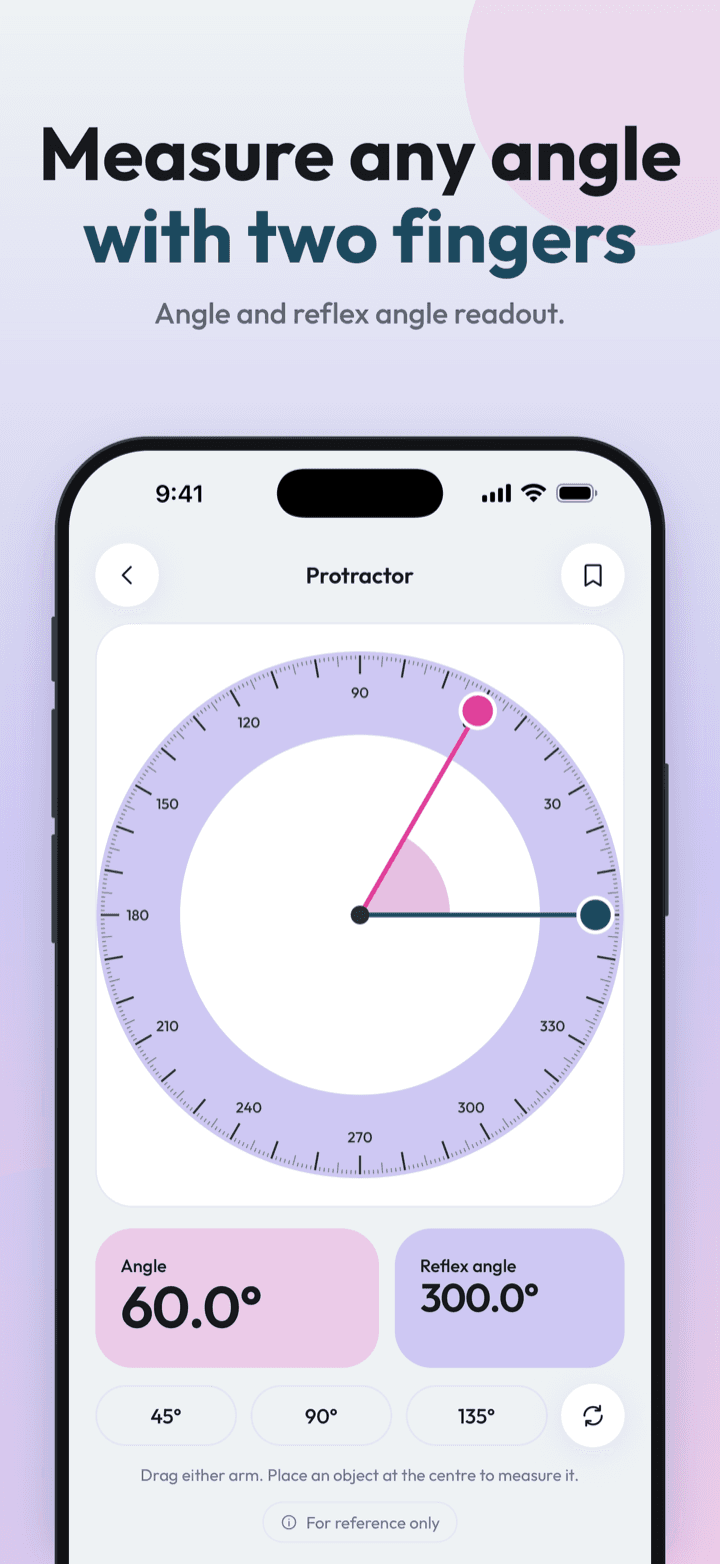
Measure Kit's protractor is a free angle-measuring tool with two draggable arms. It shows the angle and the reflex angle (360° minus the angle) with one decimal, eases to whole degrees, and has presets for 45°, 90° and 135°.
| Readout | Angle and reflex angle in degrees |
|---|---|
| Range | Full 360° circle |
| Presets | 45°, 90°, 135° and reset |
| Cost | Free, no limits |
By Ship AI Lab. Last updated . Written from how the Measure Kit app actually behaves.
A protractor that reads both angles
A school protractor stops at 180°. Measure Kit draws a full circle with a fine tick scale and gives you two readings at once: the angle between the arms and the reflex angle, which is 360° minus the angle. That covers corners, mitres, brackets, hinges and wedge-shaped gaps without turning anything upside down.
The numbers use the maths convention: zero points to the right and angles grow anticlockwise. Everything shown on screen is in degrees, with one decimal place.
Dragging, snapping and presets
Drag either arm and the reading follows your finger. The arms ease towards whole degrees, so you land on 60.0° rather than 59.7°, and a light haptic tick marks each step. For quick setups there are one-tap presets for 45°, 90° and 135°, and a reset button returns the arms to their starting position.
The best way to measure a real object is to put it on the screen with its corner at the centre of the dial, line one arm up with one side, then line the other arm with the other side. Rotate the phone to landscape if the object is wide.
How to measure an angle with the protractor
- Open ProtractorThe circle fills the screen. In landscape it grows to use the extra width.
- Put the corner at the centreRest the object flat on the glass with the vertex over the centre dot.
- Drag the two arms to the sidesEach arm snaps gently to whole degrees. The angle and reflex angle update as you move.
- Save the resultThe save button stores the angle and the reflex angle together in History.
What an angle app is good for
Woodworking and mitres
Check a corner before you cut, or copy an angle from an existing joint.
DIY brackets and shelves
Confirm a bracket is at 90° or find the angle of a bevelled edge.
Homework and geometry
See how an acute, right, obtuse and reflex angle relate by dragging the arms.
Crafts, jewellery and sewing
Match the angle of a pattern piece or a fold.
Precision to expect
- The protractor measures what is on the screen, not an angle in space. To measure the tilt of a surface, use the bubble level in edge mode.
- Accuracy is limited by how carefully the object is placed and by your finger. It is approximate and for reference only.
- Whole-degree snapping is intentional. If you need fractions of a degree, use a dedicated angle finder.
Protractor questions, answered
Is the protractor app free?
Yes. It has no limits, no ads and no account.
What is the reflex angle?
The larger angle on the other side of the arms, equal to 360° minus the angle. A 60° angle has a reflex angle of 300°.
Can it measure angles on a wall or a roof?
Not directly, because the protractor measures an angle drawn on the screen. For the slope of a surface, use the bubble level in edge mode.
Does it snap to whole degrees?
Yes, gently. The arms ease to the nearest degree and tick when they do.
Are there presets?
Yes: 45°, 90° and 135° with one tap, plus a reset.