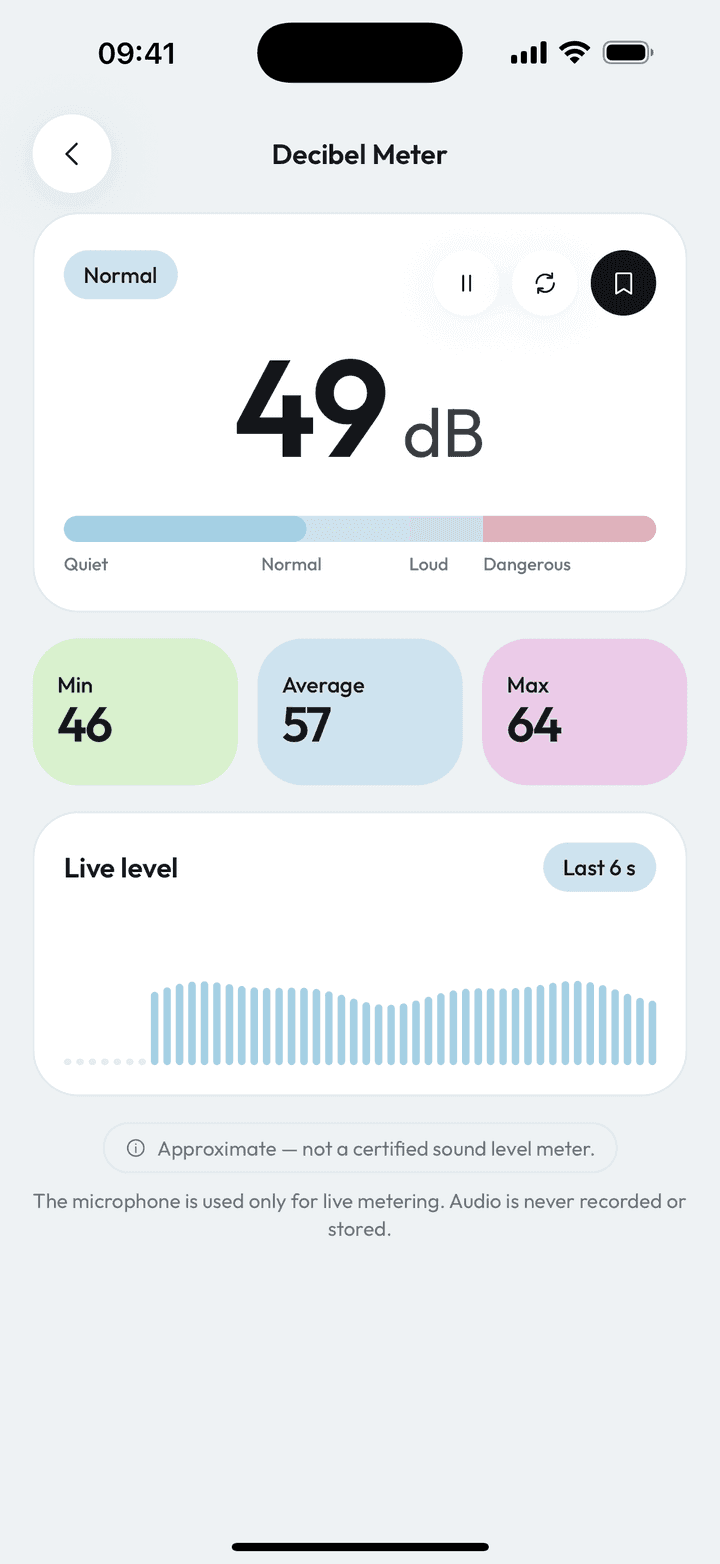
Measure Kit's decibel meter reads your phone's microphone and shows an approximate sound level in dB, plus the minimum, average and maximum since you started. Levels are banded as quiet (under 40 dB), normal (40 to 70), loud (70 to 85) and dangerous (85 and above). Nothing is recorded.
| Range shown | 0 to 130 dB (estimated) |
|---|---|
| Bands | Quiet under 40, normal 40-70, loud 70-85, dangerous 85+ |
| Privacy | Microphone used for metering only; no audio is recorded or sent |
| Accuracy | Approximate; not a certified sound level meter |
By Ship AI Lab. Last updated . Written from how the Measure Kit app actually behaves.
What a phone decibel meter can tell you
Your microphone reports how loud the incoming sound is relative to its maximum. Measure Kit adds a fixed offset for your platform to turn that into an approximate sound pressure level in dB, clamped between 0 and 130. It is a good guide to how loud a place is and how one place compares with another.
It is not a certified sound level meter. Microphones differ between phones, and automatic gain and noise processing can change what the app sees, so treat the number as an estimate and compare readings taken on the same phone.
Quiet, normal, loud, dangerous
The bar and a small tag use four bands. Under 40 dB is quiet, 40 to 70 dB is normal, 70 to 85 dB is loud and 85 dB and above is dangerous. 85 dB is the level commonly used in occupational guidance as the point where long exposure starts to risk hearing, which is why it marks the top band.
While you measure, the app keeps the lowest, highest and average reading since you started, so a short spike does not hide in the noise. Pause to freeze the numbers, or reset to start a fresh measurement.
Private by design
The microphone is used for live level metering only. Nothing is recorded, stored or sent anywhere. The only thing saved is the number, and only if you tap save.
How to measure noise with Measure Kit
- Open Decibel meter and allow the microphoneThe permission is needed to read the level. No audio is kept.
- Hold the phone steadyKeep the microphone uncovered and about at ear height for a room reading.
- Wait a few secondsLet min, average and max settle. Use pause to freeze them.
- Save the average if you want a recordThe saved entry stores the average with the minimum and maximum.
Common reasons to check noise
Noisy neighbours or traffic
Keep dated readings of how loud it gets, with the maximum recorded.
Choosing a quiet desk, café or hotel room
Compare places on the same phone.
Baby sleep and home offices
See whether a fan, a white-noise machine or the street is the loudest thing in the room.
Concerts and workshops
Check when it has crossed into the dangerous band and it is time for ear protection.
Limits of a phone microphone
- Readings are approximate and not certified. Do not use them for legal, workplace-safety or medical decisions.
- Very loud sounds can clip the microphone, so the real level may be higher than shown.
- A case, a hand or wind across the microphone changes the reading. Hold the phone clear and out of the wind.
Decibel meter questions, answered
Is the decibel meter app free?
Yes, with no limits, no account and no ads.
Does it record my voice or the room?
No. The microphone is used for live metering only. Nothing is recorded or uploaded.
How accurate is it?
It is an estimate. Phone microphones vary, so use it to compare and to spot loud places, not for certified measurements.
What is a safe noise level?
Under 70 dB is comfortable for most people, 85 dB is commonly treated as the point where long exposure risks hearing, and the app marks that band as dangerous.
What do min, average and max mean?
The lowest, mean and highest levels recorded since you started or last reset the measurement.