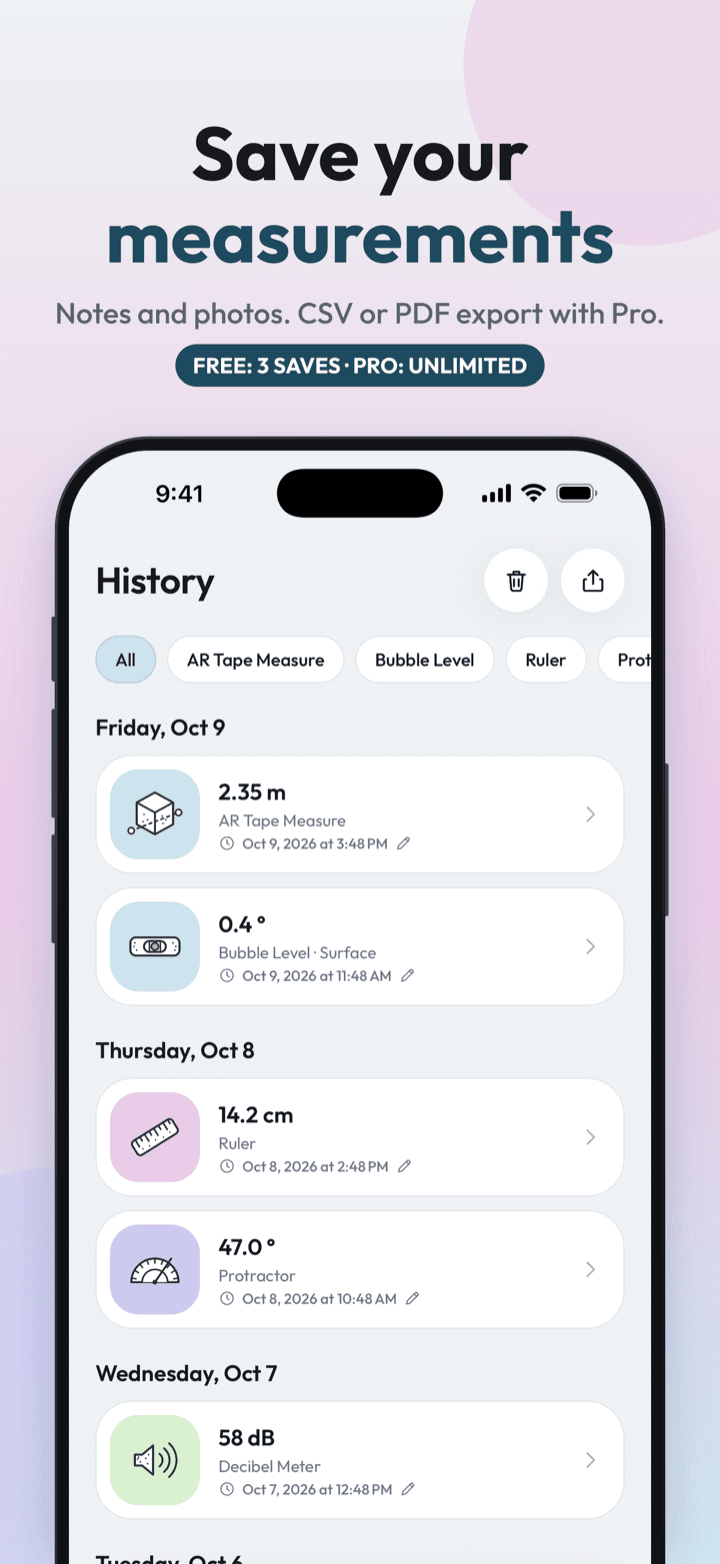
Measure Kit saves measurements from every tool into one history. Free users can keep three; Pro keeps unlimited entries with notes and AR photos and exports them as CSV or PDF through the system share sheet. Data stays on the device with no account.
| Free limit | 3 saved measurements |
|---|---|
| Pro | Unlimited history, notes, AR photos, CSV and PDF export |
| CSV columns | Date, tool, type, value, unit, details, note |
| Storage | On the device only; no account or cloud sync |
By Ship AI Lab. Last updated . Written from how the Measure Kit app actually behaves.
One history for every tool
A length from the ruler, an angle from the protractor, a heading from the compass, a noise level from the decibel meter and an AR area all land in the same list. Each entry keeps the main value, the unit, the time and any extra detail the tool provides, such as the reflex angle, the minimum and maximum noise level, or the width and height of an AR rectangle.
Open an entry to add a note such as "kitchen window, left side", so the number still means something later.
Free and Pro
Free users can save up to three measurements. After that the app offers Pro rather than silently dropping results. Pro keeps an unlimited history, adds notes, keeps the AR photo captured with each AR measurement and unlocks export.
CSV and PDF export
Export hands a file to the system share sheet, so you can email it, save it to Files or Drive, or send it to a contractor in a message. CSV opens in Excel, Numbers and Google Sheets, with columns for date, tool, type, value, unit, details and note. In locales that use a decimal comma, the file uses semicolons so the columns split correctly. PDF gives a readable report for sharing or printing.
How to save and export
- Measure somethingUse any tool and tap the save button when the reading is right.
- Open HistoryThe History tab lists everything you have saved.
- Add a noteOpen an entry and describe what it is. On Pro, AR photos are attached automatically.
- ExportChoose CSV or PDF and share the file from the system sheet.
Who benefits from a measurement log
Renovation and moving
Collect every window, doorway and wall in one place and take it shopping.
Contractors and quotes
Send a PDF of dimensions with photos instead of a list of numbers in a message.
Noise complaints
Build a dated log of decibel readings to show a landlord or council.
Students and hobbyists
Export to a spreadsheet and graph results from experiments.
Good to know
- History is stored on your device. There is no account and no cloud sync, so deleting the app deletes the history unless you exported it.
- Photos are only kept with AR measurements on Pro. Free users can still save the numbers.
- Exports contain the same approximate readings the tools produce. They are for reference, not certification.
History & export questions, answered
How many measurements can I save for free?
Three. Pro removes the limit.
Can I export without an account?
Yes. Export needs Pro, not an account. Nothing is uploaded to a server.
What is in the CSV file?
Date, tool, type, value, unit, details and note, one row per measurement.
Are my measurements backed up?
No. They stay on your device. Export a file if you want a copy.
Can I add notes?
Yes, on Pro. Open any entry and write a note.