One daily check-in, built for PCOS and endo
Most period apps ask when you bled. PCOS and endometriosis need more: how heavy, how much pain and where, which symptoms, what you took. The daily log covers all of it on one screen and says honestly that it takes about 20 seconds.
What you can record
The log has six sections, and you only fill in what applies that day. Skip a section and nothing is saved for it.
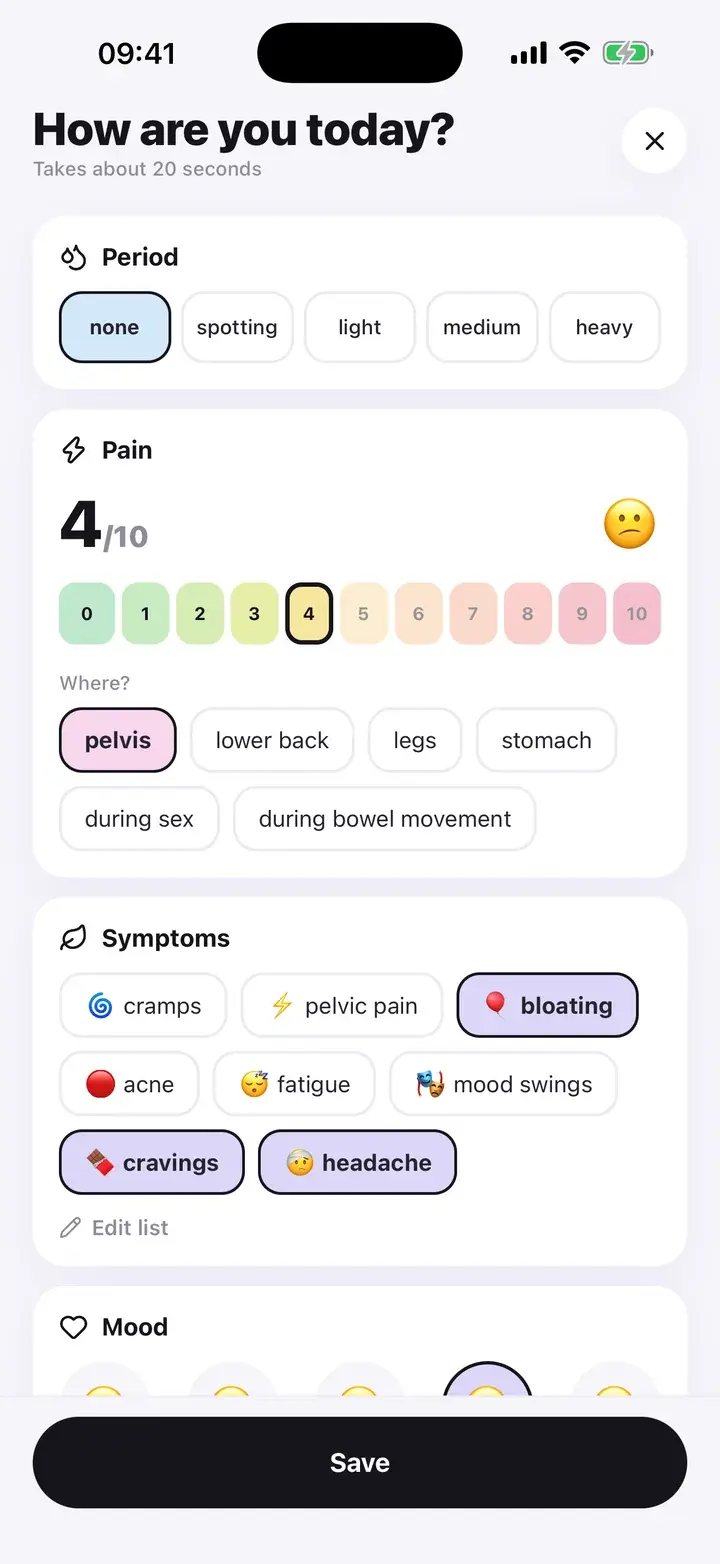
Period: flow as none, spotting, light, medium or heavy. When you pick a bleeding day, two more questions appear: clot size (none, small, large) and how many pads or tampons you changed. Spotting is recorded, but it does not start a new cycle in the cycle history.
Pain: a 0 to 10 scale with a face that changes as you slide, then where it hurts: pelvis, lower back, legs, stomach, during sex or during a bowel movement.
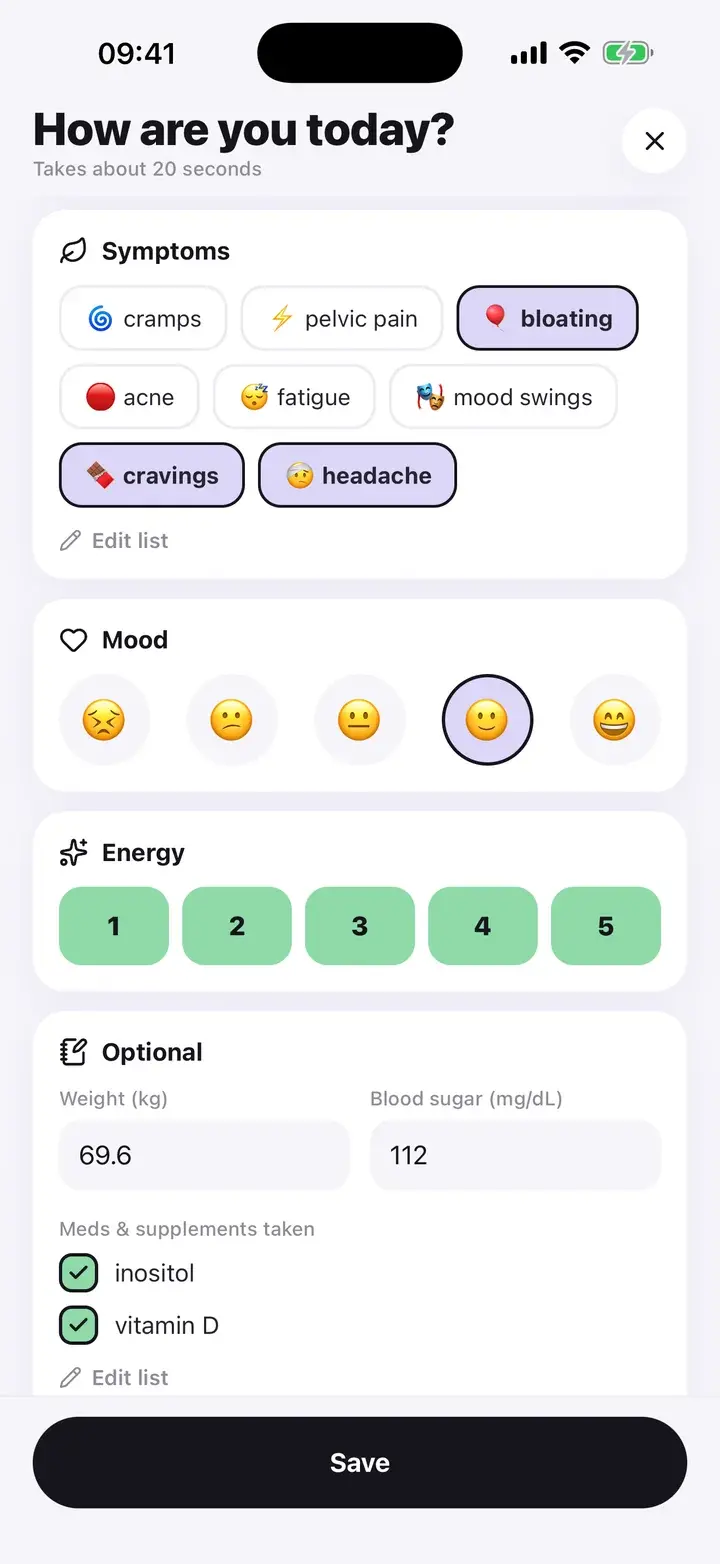
Symptoms: 12 to choose from, including cramps, pelvic pain, bloating, acne, hair loss, excess hair, fatigue, mood swings, cravings, irregular period, heavy bleeding and headache. You pick which ones appear in your own list under Settings, so the screen is not 12 chips of noise.
Mood on five faces and energy on a 1 to 5 scale.
Period and pain on top. Symptoms, mood and energy below.
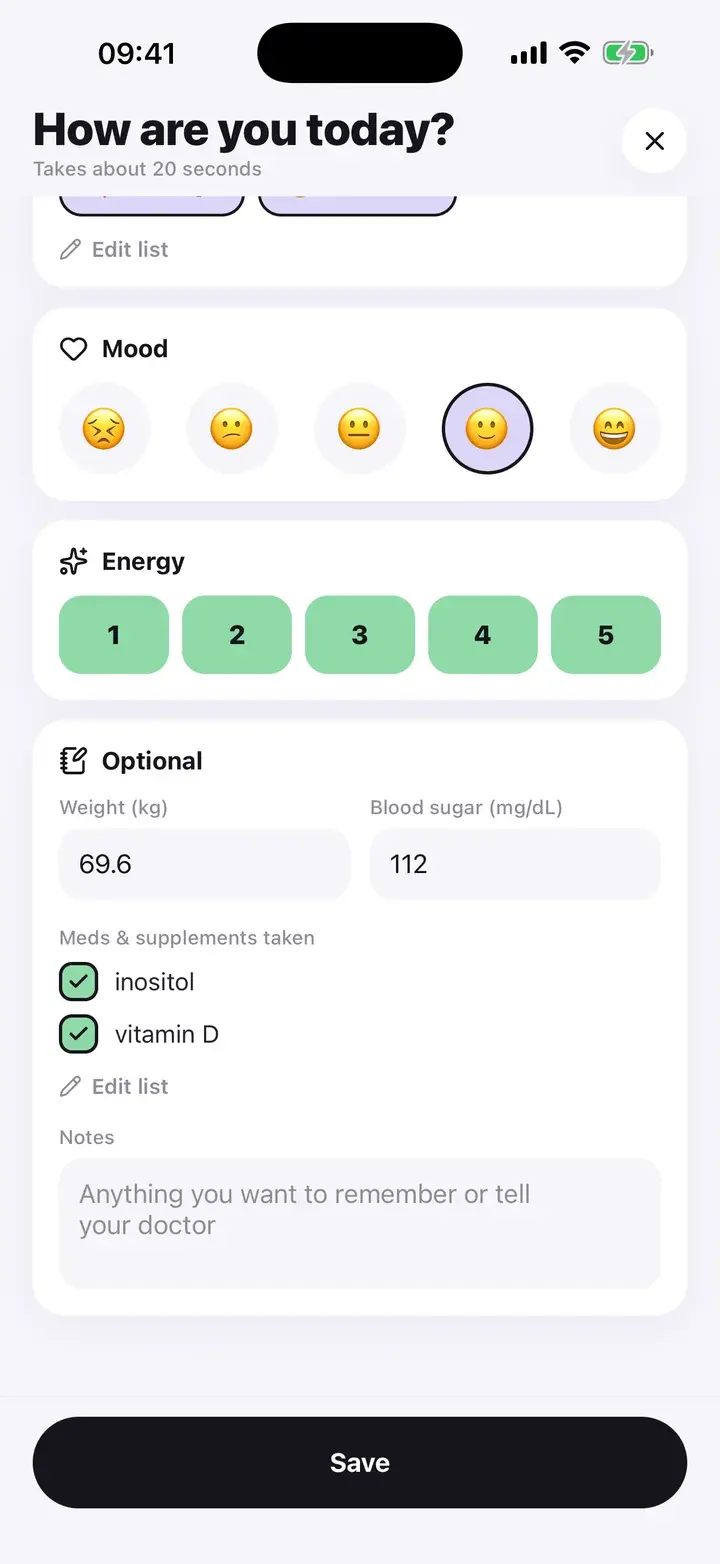
The optional part: weight, blood sugar, supplements, notes
Weight and blood sugar are plain number fields. Enter them only on days you measure. Units follow your Settings: kg or lb, mg/dL or mmol/L. They are stored in one unit internally, so switching later does not break your history.
Supplements and medication are a checklist you write yourself, for example inositol or vitamin D. The app never suggests what to take.
The notes box is for anything you want to remember or tell your doctor. Notes are included in the doctor report.
How a check-in goes
- Open the log. Tap the + in the tab bar, or the “Log today” button on Home. It opens as a sheet over whatever you were doing.
- Fill in what applies. Flow, pain, symptoms, mood, energy. Leave the rest blank. Logging a day you felt fine is useful too, because patterns need the good days.
- Save. You land on a short done screen. It offers a progress card to share and, once you have logged at least two days, “See what to tell your doctor”, which opens the report.
Small details
One entry per day
The log records today. Saving again later the same day replaces that day’s entry, so you can add the evening to a morning check-in.
Works offline
Everything is written to a database on your phone. No connection is needed to log.
Reminders you control
One daily reminder at the time you choose. Skip it entirely during setup if you prefer.
Export
A CSV export of every log and food entry is available with Premium.
It does not score your symptoms, tell you what they mean or suggest treatment. It records what you tell it and shows it back to you, in the trends, the cycle history and the doctor report.
Questions
Is the daily log free?
Yes. Logging is unlimited and free. Premium adds the PDF report, longer trend ranges, insights, unlimited food scans and CSV export.
Do I have to log every day?
No. Missing days is normal. The app never penalises it, and the cycle history works from the days you did log.
Can I add symptoms that are not in the list?
You can choose which of the built-in symptoms show up in your list. Anything else goes in the notes box.
Where is my data stored?
On your phone, in a local database. There is no account and no cloud copy. Delete all data in Settings removes it.
The screenshots on this page are from the real app, filled with sample entries made for this page. They are not anyone’s health data. Not a medical device. Updated October 7, 2026.