Walk into the appointment with the facts written down
Appointments are short, and “my periods are irregular” is hard to act on. The report turns your logs into specifics: how many cycles, how long, how much pain, which symptoms, and four to five questions worth asking.
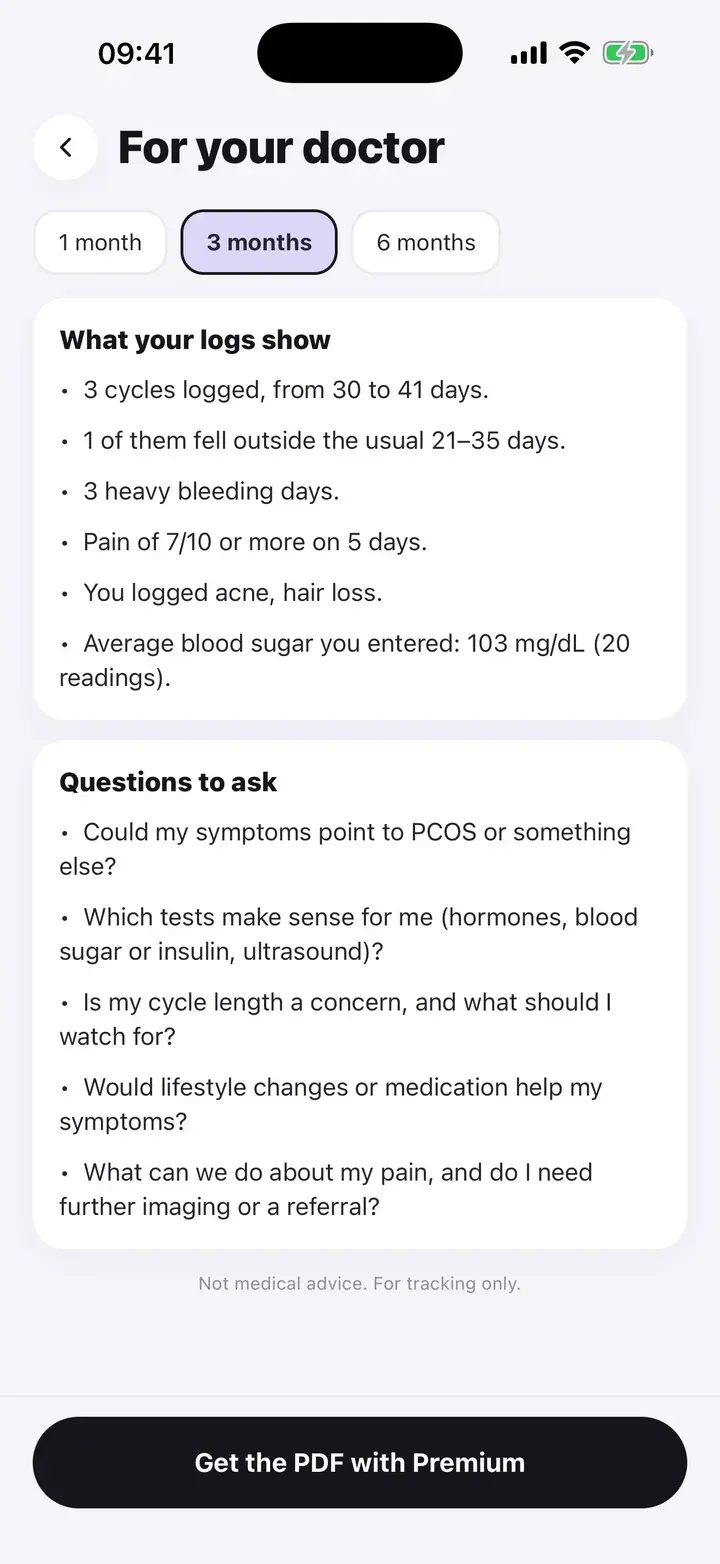
What your logs show
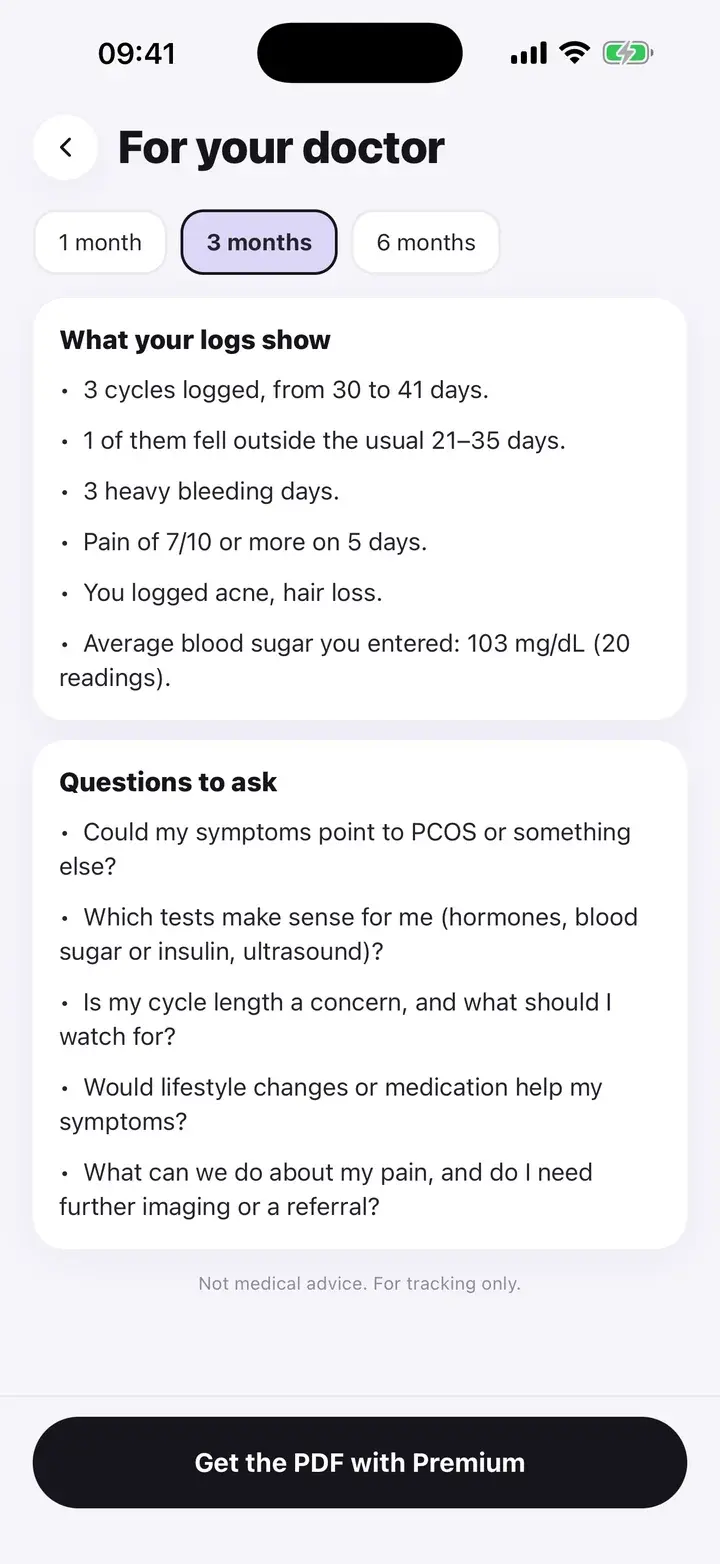
Choose 1, 3 or 6 months. The first card, “What your logs show”, lists only things that are true of your entries and notable. For example: how many cycles you logged and their range, how many fell outside 21 to 35 days, heavy bleeding days (if two or more), days with large clots, days with pain of 7 or more, androgen-related symptoms you logged (acne, excess hair, hair loss), your average entered blood sugar (three or more readings) and a weight change of 2 kg or more.
If there is nothing notable, it says to log for a few days, rather than inventing a finding.
This part is free. You can read it, screenshot it or show it on your phone.
Questions to ask
Below the facts is a short list of questions: whether your symptoms could point to PCOS or something else, which tests make sense (hormones, blood sugar or insulin, ultrasound), whether your cycle length is a concern, and whether lifestyle changes or medication would help.
If you set your condition to endometriosis or both, a fifth question about pain and further imaging or a referral is added. The wording says “doctor”, or “GP” if your device region is the UK, Australia, New Zealand or Ireland.
The PDF
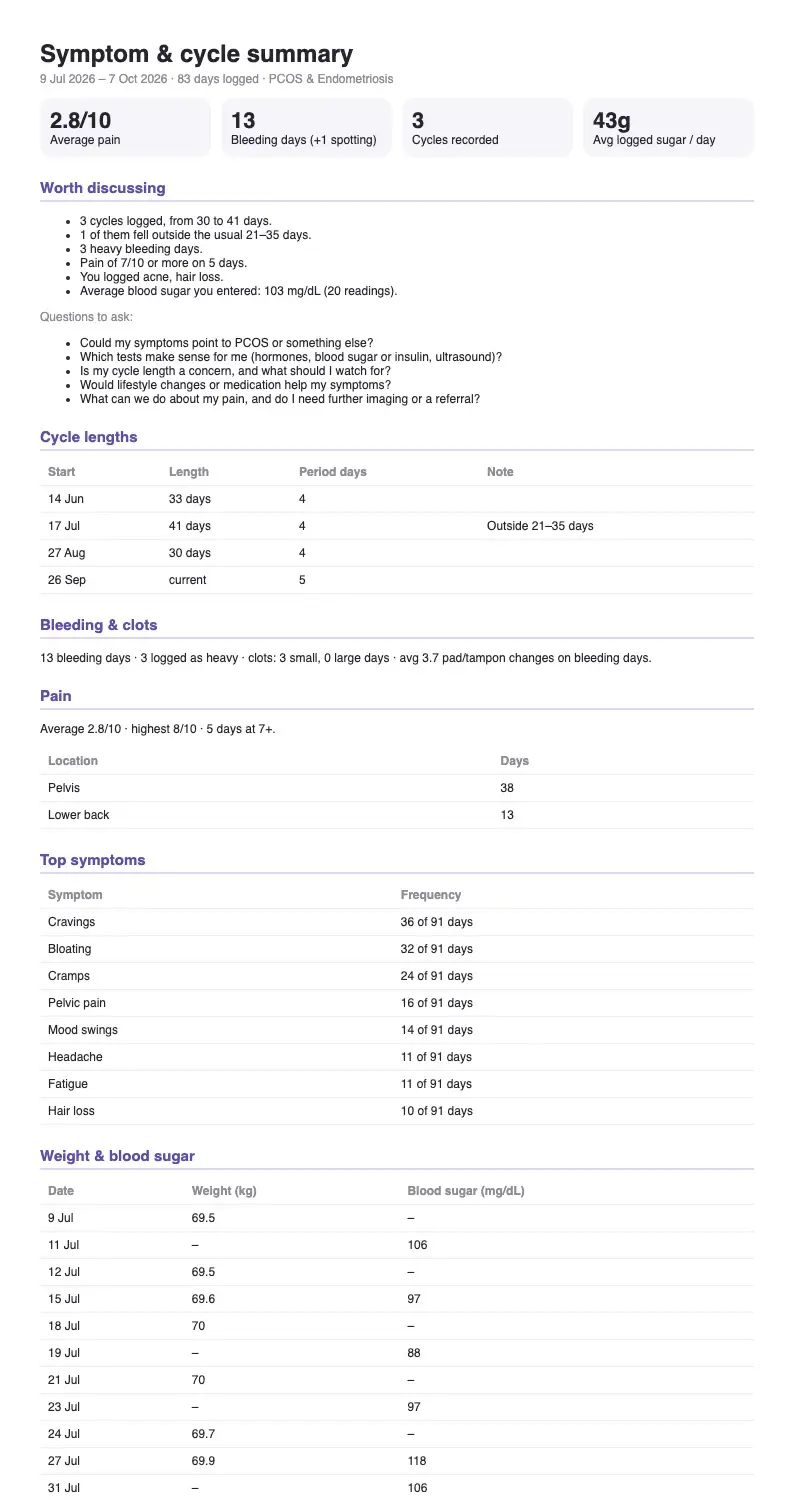
With Premium, “Create PDF to share” builds a document and opens the share sheet, so you can print it, email it or save it to Files. It contains: average pain, bleeding days and cycles recorded; the worth-discussing list and questions; a table of cycles with lengths and period days; bleeding and clots; pain with locations; top symptoms as “N of M days”; weight and blood sugar by date; meds and supplements with days taken; and your notes with dates.
The PDF is generated on your phone. It is not uploaded anywhere before you share it.
The preview below is the real output: the app’s own report code, run on the sample entries used for the screenshots. You can open the PDF itself to see exactly what a doctor would receive.
Details
Free vs Premium
Reading the summary and questions is free. Creating the PDF needs Premium. The free button is labelled “Get the PDF with Premium” so it is not a surprise.
Neutral wording
Statements describe your logs. Nothing says “you have PCOS” or “this is abnormal”.
Always current
Everything is built from your entries at the moment you open it, so it reflects what you logged up to today.
It is not a diagnosis and not a medical record. It is a summary of what you entered, formatted for a short conversation. Your doctor decides what it means.
Questions
Is the report free?
The on-screen summary and questions are free. The PDF export is a Premium feature.
How far back does it go?
You choose 1, 3 or 6 months.
Does it work for endometriosis?
Yes. It includes pain levels and locations, clots and bleeding, and adds an endometriosis question when your condition is endo or both.
Who sees my report?
Only whoever you share it with. It is created on your phone.
The screenshots on this page are from the real app, filled with sample entries made for this page. They are not anyone’s health data. Not a medical device. Updated October 7, 2026.