A recap you can share or keep to yourself
Some people like to share their progress, with a friend or a support group, and some like a private monthly snapshot. Recap cards are images the app draws from your log. You choose whether they leave your phone.
Three kinds of card
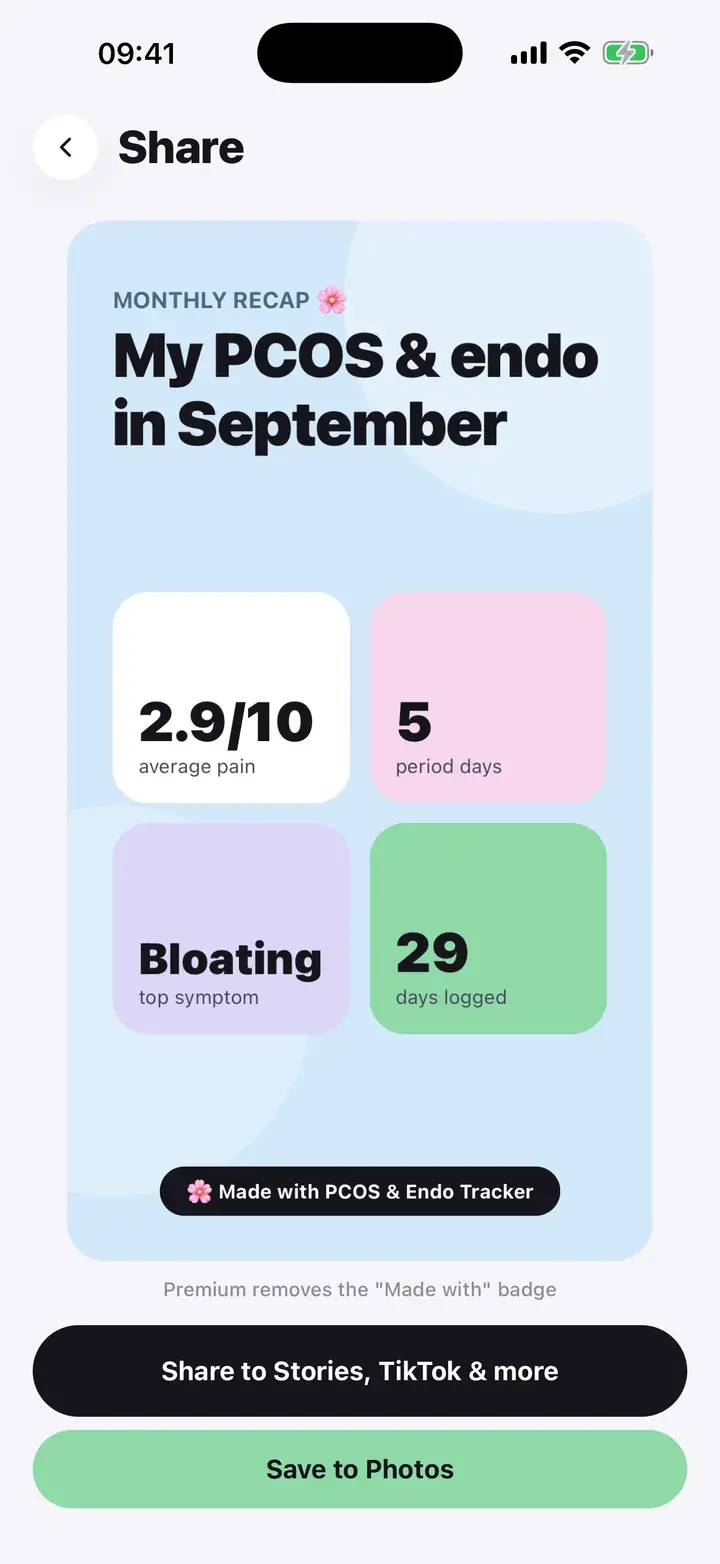
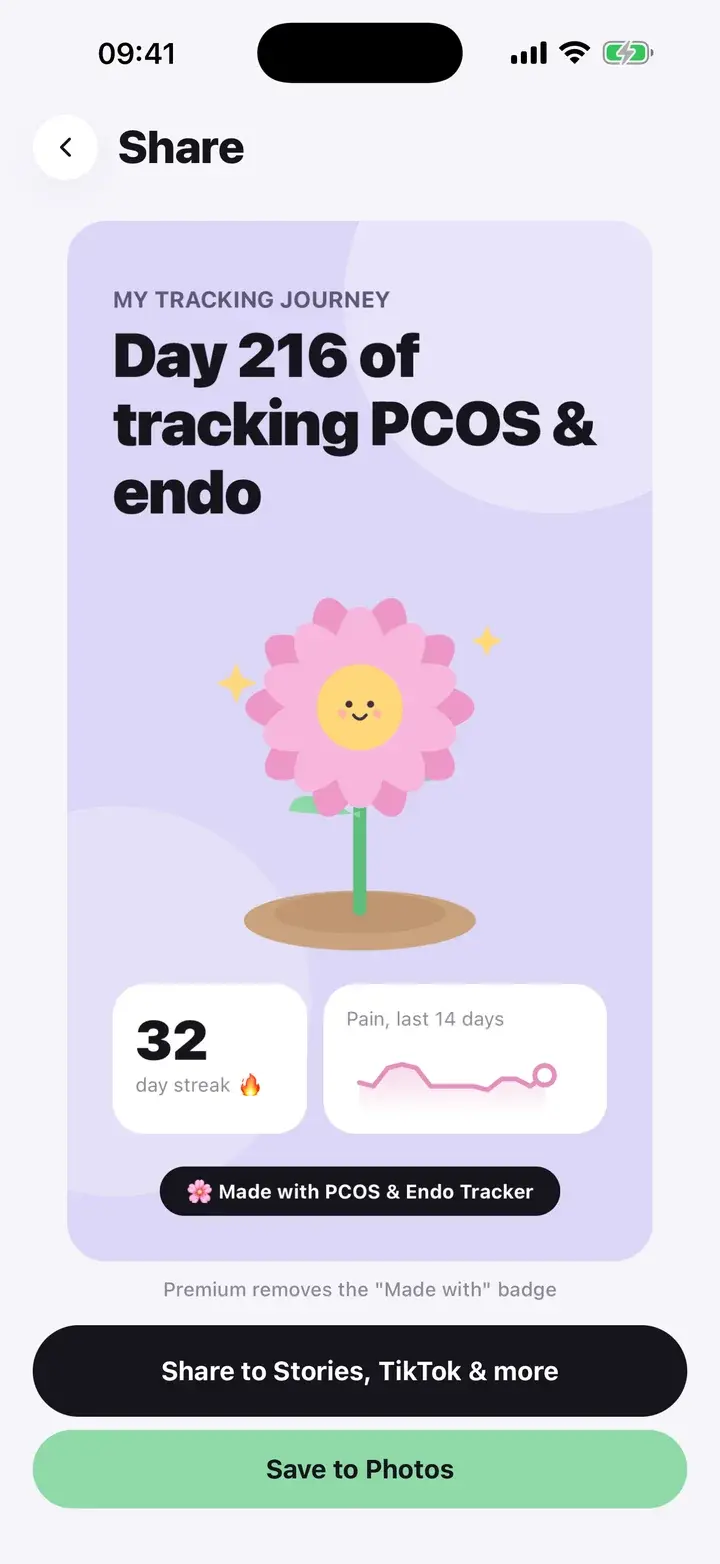
There are three. The day card (“My tracking journey”) shows how many days you have been tracking, your Bloom and your current streak, and is offered on the done screen after you log and from the share button on Home. The monthly recap is a button at the bottom of Trends and shows the month’s average pain, period days, your top symptom and days logged.
The third is a scan card. After you scan a food, “Share card” turns the result into an image with the grade and the reason, headed “Rating my snacks for PCOS”. The preview on the share screen is the exact image that will be shared, and every number on it comes from your own log or scan.
The monthly recap and a scan card.
Sharing and saving
Two buttons. “Share to Stories, TikTok & more” opens the system share sheet, so Instagram Stories, TikTok, Messages and anything else you have installed appear as usual. “Save to Photos” just saves the image to your library, if you want it for yourself.
Without Premium, cards carry a small “Made with” badge. Premium removes it.
If you would rather never share anything, ignore this feature. Nothing is sent unless you press a button.
Details
Nothing is posted for you
The app has no social features and no accounts. It makes an image, and the share sheet is yours.
Review before sharing
The preview is what gets shared. Check it, since it is your health data.
Saved images are yours
Once saved to Photos, the image is a normal photo. The app keeps no copy beyond what you create.
A recap card shows summary numbers from your log. Think about who you are sending it to before you share. The app cannot unshare an image once it has left your phone.
Questions
Does sharing make my data public?
No. You are only sharing the image you choose to send, to the place you choose.
What does Premium change here?
It removes the small “Made with” badge on the cards.
The screenshots on this page are from the real app, filled with sample entries made for this page. They are not anyone’s health data. Not a medical device. Updated October 7, 2026.