Scan the barcode, see why it scores that way
Most food apps give a number and no explanation. This one gives a grade from A to E and the one to three reasons that moved it. The scoring rules are simple enough that they are written out below, so you can disagree with them.
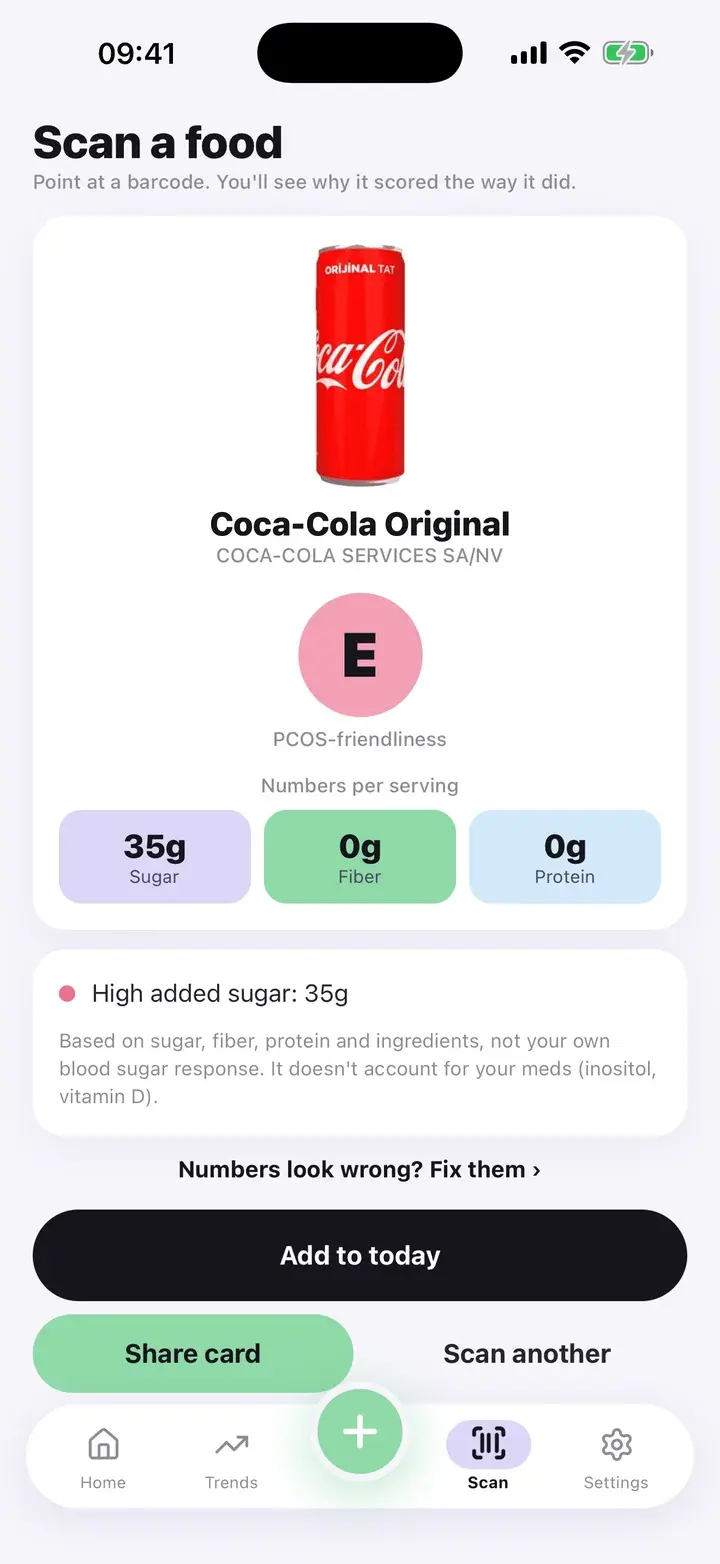
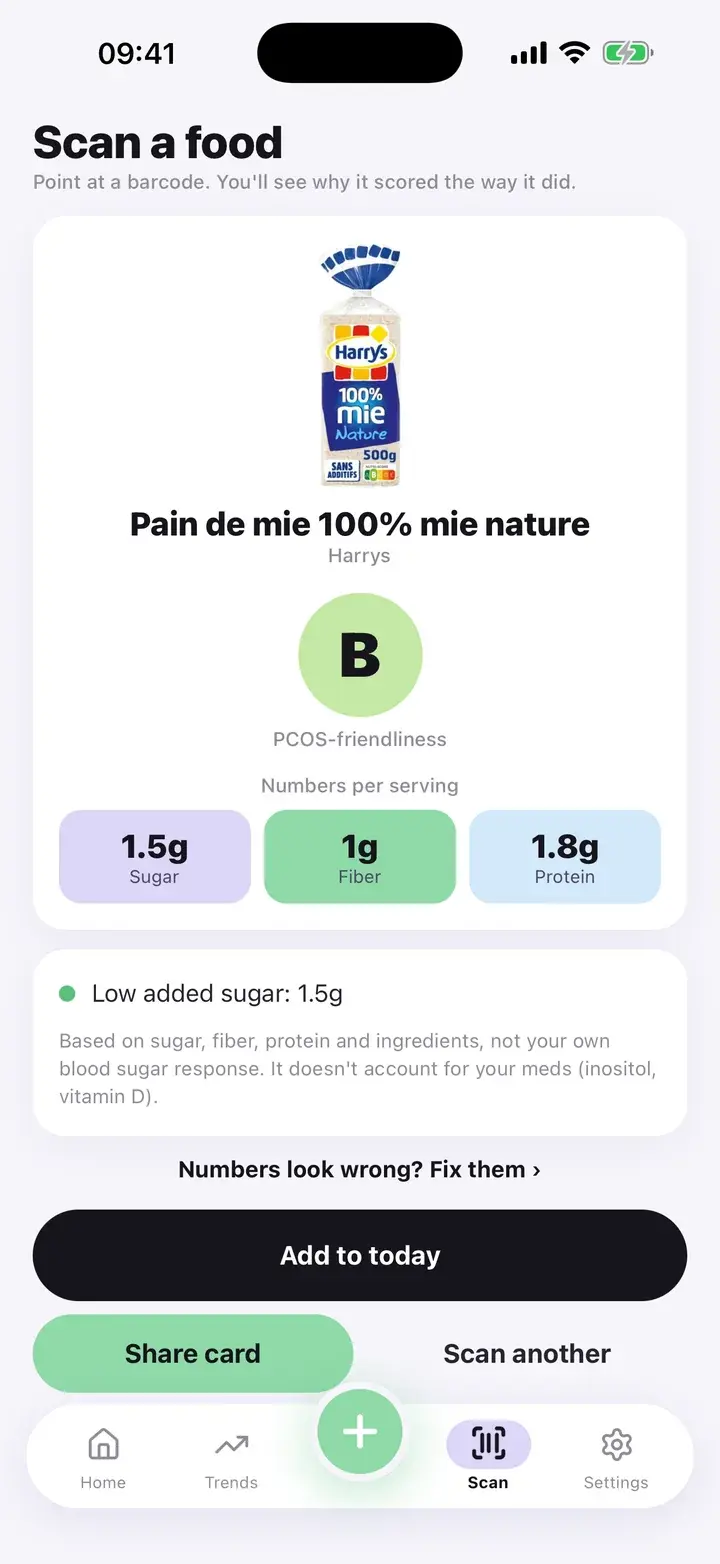
What a result looks like
Point the camera at a barcode. The app looks the product up on Open Food Facts, a free, community-built food database, and shows the name, photo, sugar, fiber and protein, the grade, and the top reasons for it.
All the numbers use one basis: per serving when the product lists serving values, otherwise per 100 g. The result states which. Mixing a per-serving sugar figure with a per-100 g fiber figure used to make scores jump around, so the app no longer does that.
The cards on this page are real results: products from Open Food Facts, run through the same scoring code as the app.
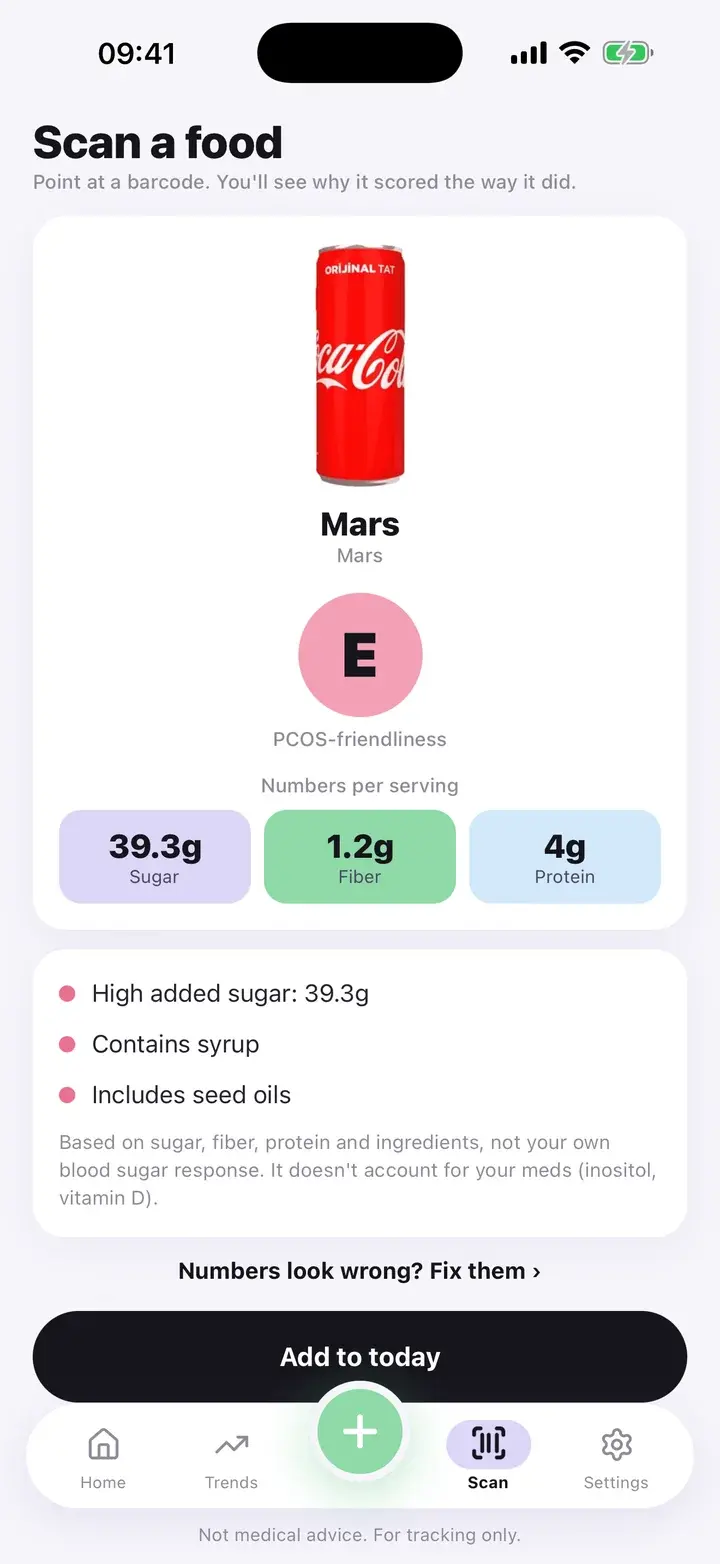
A result with three reasons.
The scoring rules, written out
Every product starts at zero and moves up or down. Added sugar over 10 g takes away 2 points. Under 5 g adds 1. Fiber of 3 g or more adds 1. Protein of 10 g or more adds 1. An ingredient list that names refined flour, white rice or a syrup takes away 2. Seed oils such as sunflower, soybean, canola or rapeseed take away 0.5, and so does an ingredient list longer than 15 items.
The final score becomes a grade: 2 or more is A, 1 or more is B, 0 or more is C, down to minus 1.5 is D, and anything lower is E. The screen shows at most three reasons, ordered by how much they moved the score.
Added sugar is used when the product lists it. Otherwise the app uses total sugars. That means a product with natural sugars, such as dried fruit, can be read as higher in sugar than the “added” label would say. If a number looks wrong, tap “Fix the numbers” and correct it.
When a product is not found
- Not in the database. You see “We couldn’t find that one”. Open Food Facts is built by volunteers, so smaller or local products can be missing.
- Enter it by hand. Type the name and the sugar, fiber and protein in grams. The same rules score it, and the result says it was entered by hand.
- Add to today. “Add to today” puts the food into your day. Its sugar shows up in the added sugar chart in Trends.
Limits worth knowing
Free: 3 scans a day
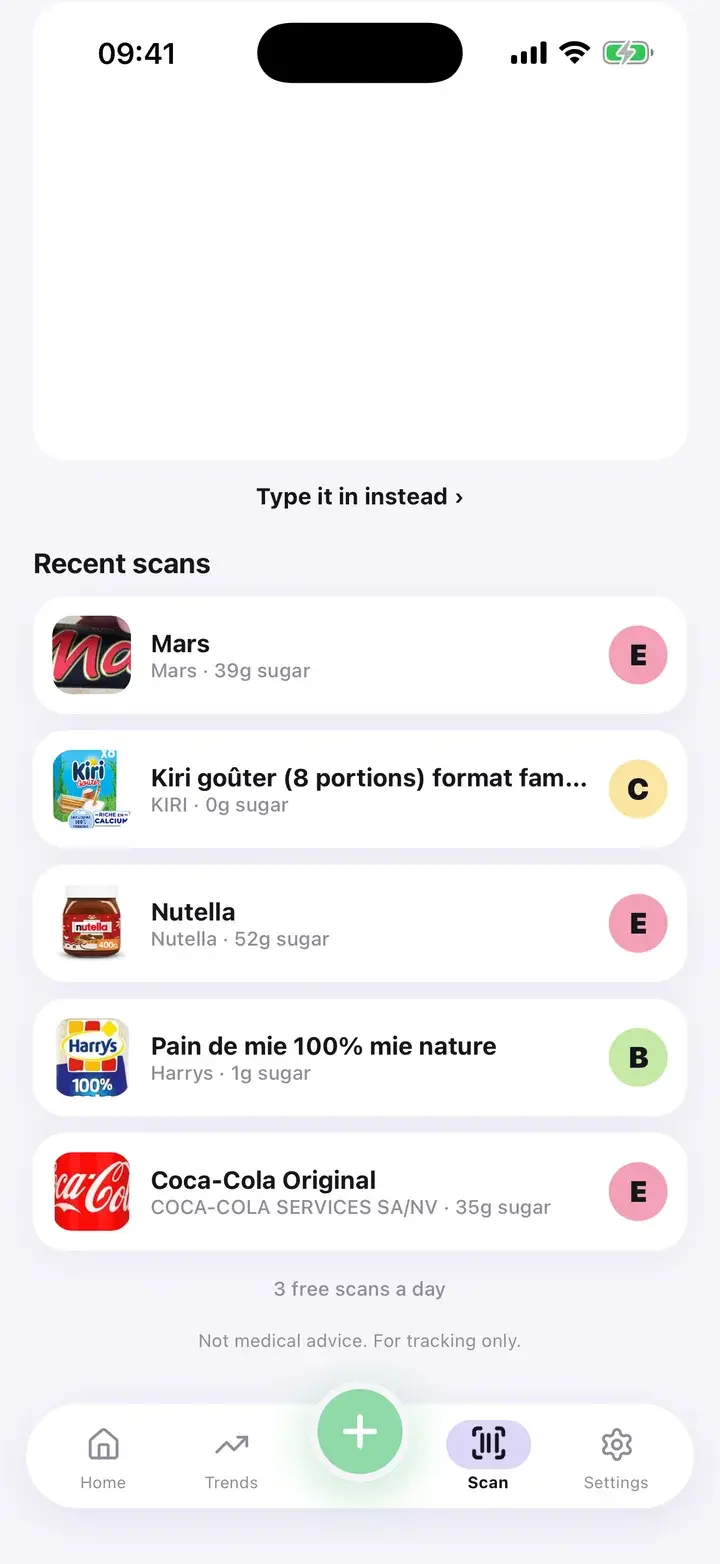
Free accounts can scan three products per day. Premium removes the limit. Recent scans stay in a list you can reopen without using a scan.
What leaves your phone
Only the barcode number is sent to Open Food Facts to find the product. Your log, your cycle and your scan history stay on the phone.
Needs a connection
Looking up a barcode needs internet. Entering a food by hand does not.
It is a rule-based score, not a medical rating. It does not know your medication, your glucose or your diet, and it does not say a food is forbidden. It is one quick way to see sugar, fiber, protein and ingredients at a glance. A grade E snack is not a failure.
Questions
Where does the product data come from?
Open Food Facts, an open database maintained by volunteers. Data quality varies by product.
Why does a product with fruit show a very low sugar figure?
The app uses the database’s added-sugar value when one is listed, and that can be lower than total sugars. If a number looks wrong, correct it by hand and the grade updates.
Can I scan without internet?
Not by barcode. You can still enter a food by hand and get a score offline.
Is the grade personalised?
No. Every user gets the same grade for the same numbers.
The screenshots on this page are from the real app, filled with sample entries made for this page. They are not anyone’s health data. Not a medical device. Updated October 7, 2026.