Blood sugar and weight, logged on your terms
Insulin resistance is common with PCOS, so many people measure glucose and watch weight. This is a place to write those numbers down next to your symptoms, so you can see them together. It is a log, not a glucose monitor.
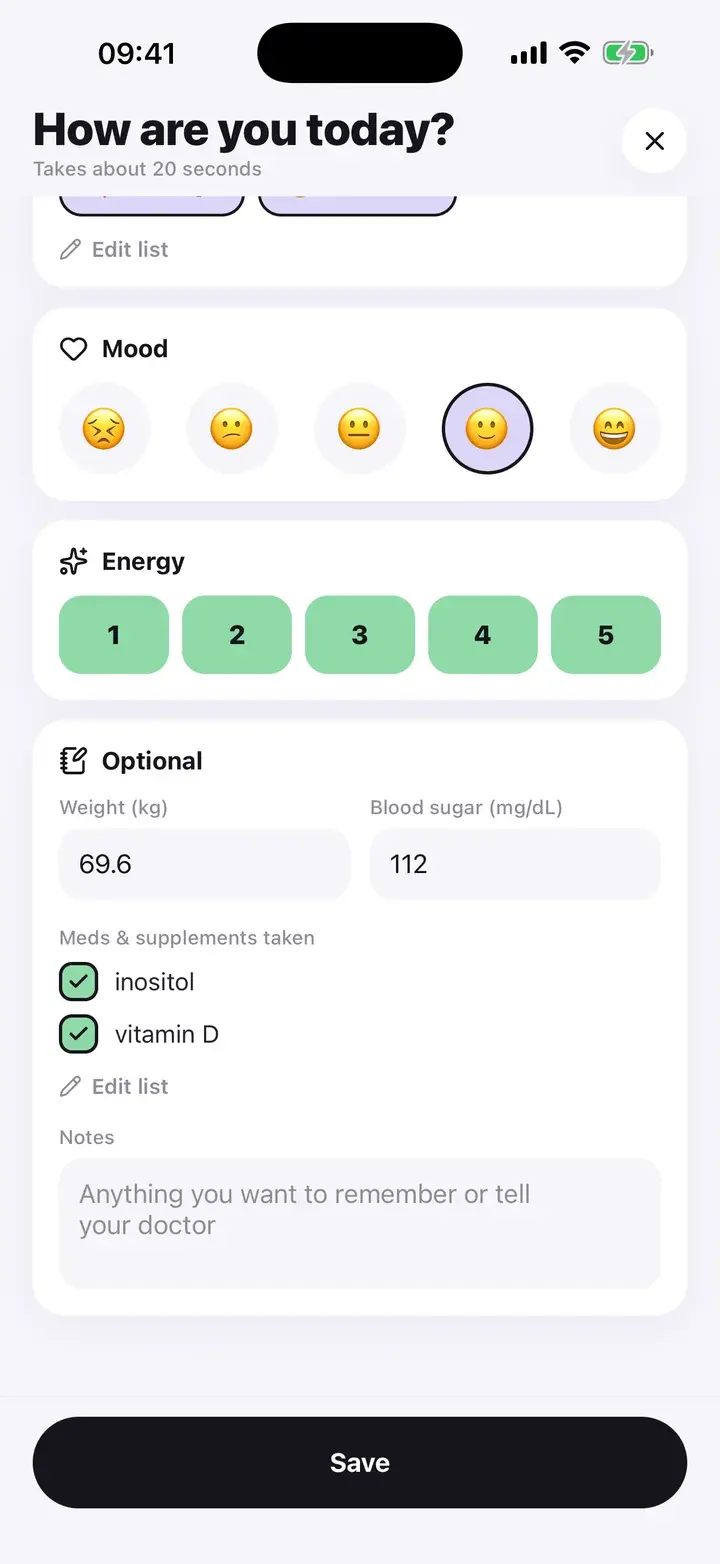
Two fields, in your units
Blood sugar and weight are in the optional section of the daily log. Leave them empty on days you do not measure. Nothing is required.
Pick kg or lb for weight and mg/dL or mmol/L for blood sugar in Settings. Values are converted for display and for the report, and stored in one unit internally, so changing the setting later does not alter or lose past entries.
There is no integration with a glucose meter or smart scale. You type the number.
Where the numbers show up
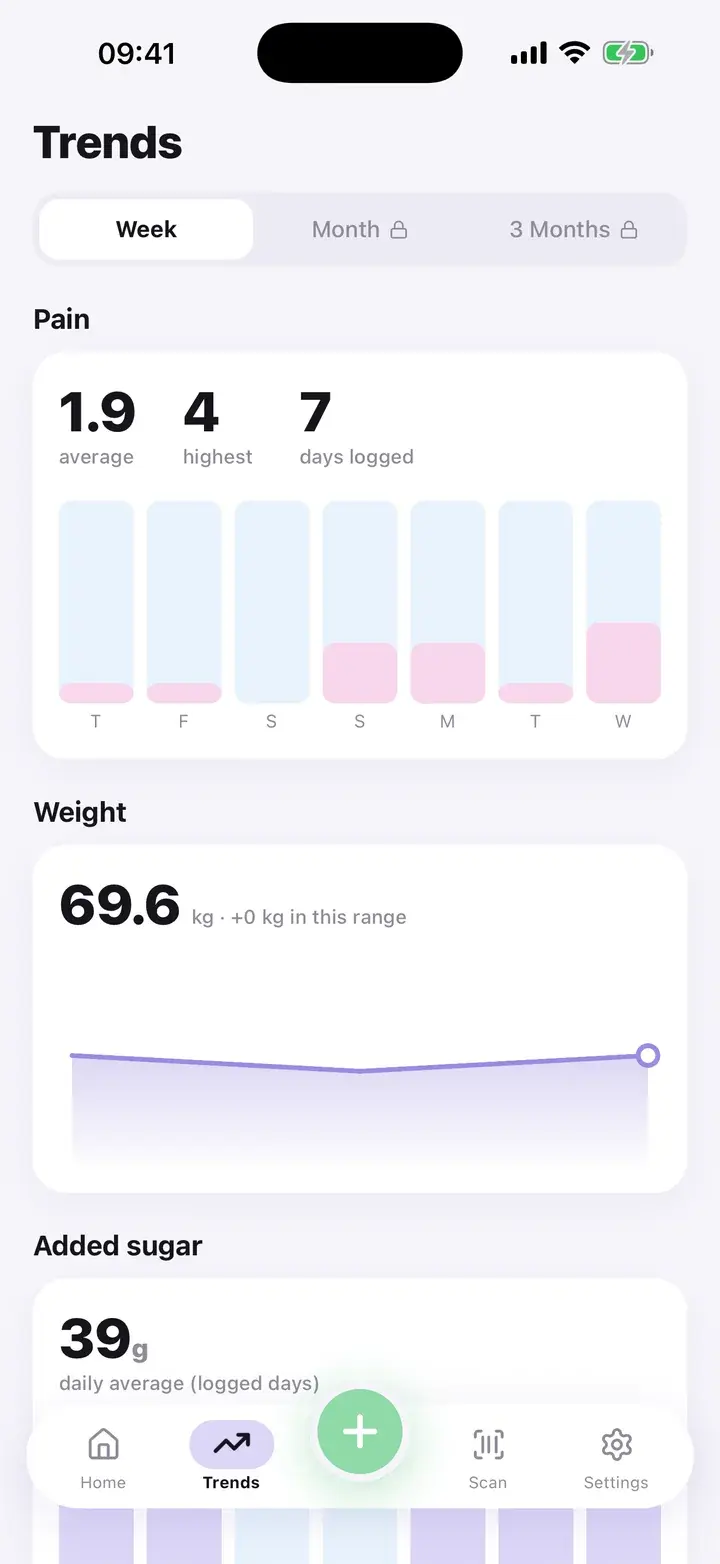
Trends draws weight as a line over the selected range and shows the change in your unit. It also shows added sugar from foods you scanned and added to a day, so you can see what you ate next to what you measured.
The doctor report mentions your average entered blood sugar once there are at least three readings, and a weight change of 2 kg or more over the period. The PDF lists the individual weights and readings by date.
Details
No interpretation
The app does not say a reading is high, low or in range. Your doctor or diabetes team sets targets, not a log.
Doctor-ready
Readings and weights appear in the PDF table with dates, in the unit you chose.
CSV export
Premium includes a CSV export of every entry if you want to analyse it yourself.
It is not a continuous glucose monitor, not a medical device and not advice about insulin, medication or diet. If a reading worries you, contact your doctor.
Questions
Can I connect a glucose meter or Apple Health?
No. Entry is manual.
Can I switch between kg and lb later?
Yes. Your history is kept and shown in the unit you pick.
Does it tell me if my blood sugar is high?
No. It records and charts the numbers you enter and leaves the judgement to your doctor.
The screenshots on this page are from the real app, filled with sample entries made for this page. They are not anyone’s health data. Not a medical device. Updated October 7, 2026.